Stepping into the world of smartwatches can feel like unlocking a new dimension of personal technology, and the Apple Watch Series 8 truly stands out as a pivotal entry. More than just a time teller, this innovative device seamlessly integrates into your daily routine, offering a powerful blend of health monitoring, safety features, and smart connectivity right on your wrist. If you’re pondering an upgrade or simply curious about what makes this particular smartwatch a game-changer, you’ve landed in the right place. The Apple Watch Series 8 isn’t just a gadget; it’s a dedicated companion designed to enhance your well-being, keep you connected, and offer peace of mind, all while looking sleek and stylish.
The Evolution of the Smartwatch: A Quick Look at Apple’s Journey
Apple has consistently been at the forefront of wearable technology, transforming how we interact with our digital lives. From the initial iterations that brought notifications and fitness tracking to our wrists, each successive Apple Watch generation has built upon its predecessor, refining user experience and introducing groundbreaking features. The journey has been one of continuous innovation, pushing the boundaries of what a compact device can achieve. The Series 8, introduced in 2022, represents a significant step in this evolution, taking the established strengths of previous models and enhancing them with critical new capabilities that focus on personal health and safety in unprecedented ways.
Unveiling the Apple Watch Series 8: What’s Under the Hood?
The Apple Watch Series 8 packs an impressive array of technology into its familiar and elegant design, setting a high standard for what a modern smartwatch can deliver.
Core Features and Advanced Technology
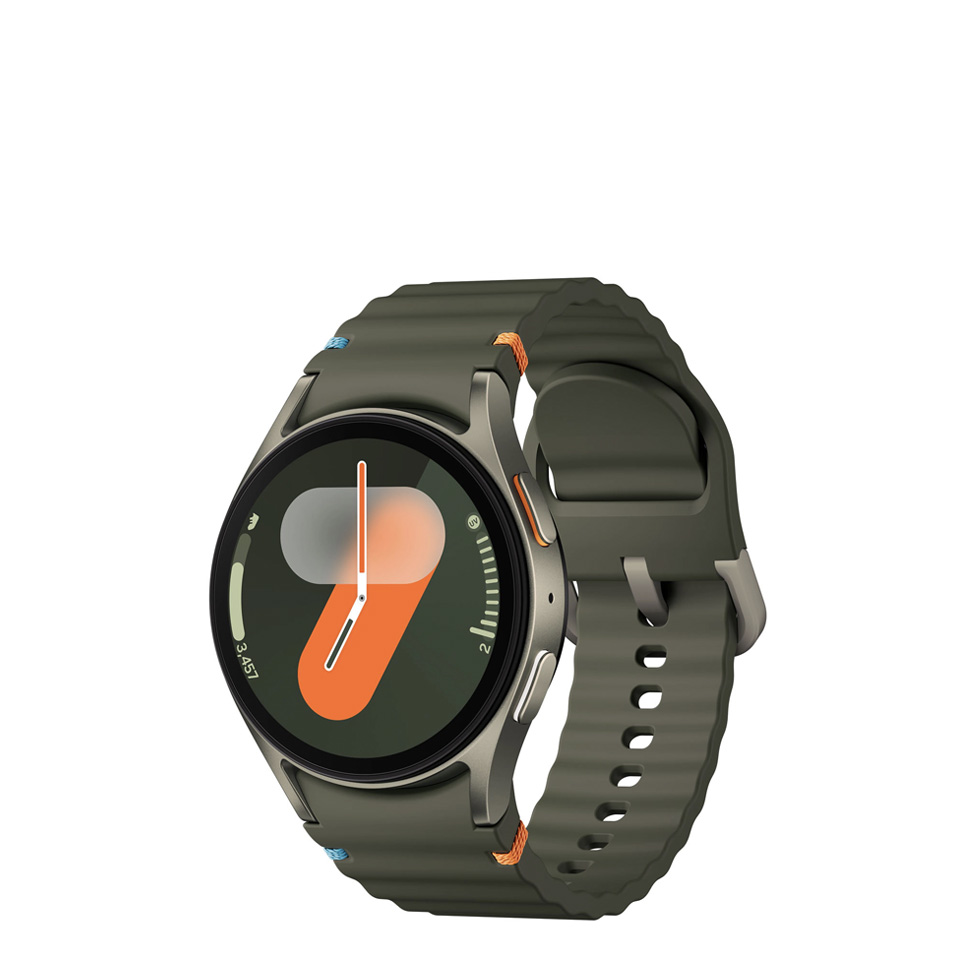
At its heart, the Apple Watch Series 8 is powered by the S8 SiP with a 64-bit dual-core processor, ensuring smooth performance across all applications. Its stunning Always-On Retina display offers crisp visuals and remains visible even in bright sunlight, thanks to its impressive brightness. The watch maintains the beloved design aesthetics, available in 41mm and 45mm case sizes, crafted from durable aluminum or elegant stainless steel in a range of sophisticated colors. Beyond its processing power and visual appeal, the Series 8 is equipped with advanced GPS, Wi-Fi, and Bluetooth 5.3 connectivity, alongside an Ultra Wideband (U1) chip for enhanced spatial awareness and precise location tracking, especially useful for features like finding your iPhone.
New Health Frontiers: Temperature Sensing and Cycle Tracking
One of the standout additions to the Apple Watch Series 8 is its innovative temperature sensing capability. This isn’t just about taking your temperature on demand; instead, the watch uses two sensors – one closer to your skin and another under the display – to measure your wrist temperature overnight. This data is then utilized for advanced cycle tracking, offering retrospective ovulation estimates and deeper insights into menstrual cycles, which can be invaluable for family planning and overall health awareness. It tracks subtle shifts from your baseline temperature, providing a more holistic view of your body’s patterns. As Dr. Anya Sharma, a leading wearables health expert, often states, “The Series 8’s temperature sensing isn’t just a number; it’s a window into your body’s subtle rhythms, empowering users with unprecedented insights into their reproductive health and overall well-being.”
Enhanced Safety: Crash Detection and Emergency SOS
Safety takes a major leap forward with the Apple Watch Series 8. Building on the existing Fall Detection and Emergency SOS features, the Series 8 introduces revolutionary Crash Detection. This feature leverages an improved high-g accelerometer and a high dynamic range gyroscope, capable of detecting extreme impacts and sudden changes in speed up to 256 g-forces. If a severe car crash is detected, your Apple Watch Series 8 can automatically connect you to emergency services, providing your location and notifying your emergency contacts. This truly life-saving capability means help can be summoned even if you’re unable to reach your phone. Alongside international emergency calling, these features provide an invaluable layer of security, whether you’re at home or traveling abroad.
Powering Through Your Day: Battery Life and Low Power Mode
Nobody wants their smartwatch to run out of juice halfway through the day. The Apple Watch Series 8 is designed to keep pace with your active lifestyle, offering up to 18 hours of all-day battery life on a single charge. This covers typical use, including notifications, app usage, and a 60-minute workout. For those times you need an extra boost, the Series 8 introduces a new Low Power Mode. This clever feature can extend battery life up to an impressive 36 hours by temporarily disabling or limiting less critical functions like the Always-On display, automatic workout detection, and certain heart health notifications. It’s the perfect solution for long journeys or when you simply forget your charger at home.
Mastering Your Apple Watch Series 8: Tips and Tricks
Getting the most out of your Apple Watch Series 8 involves more than just wearing it; it’s about personalizing and utilizing its vast capabilities.
Setting Up Your Smartwatch with Ease
Setting up your Apple Watch Series 8 is a remarkably intuitive process. Simply bring it near your iPhone, and follow the on-screen prompts for a quick pairing. You can restore from a previous Apple Watch backup or set it up as new. Remember to explore the Watch app on your iPhone, which serves as the central hub for customizing settings, downloading apps, and managing watch faces. Don’t forget to enable important safety features like Fall Detection (set to “Always On” if desired) and Crash Detection.
Personalizing Your Experience: Watch Faces and Complications
One of the most enjoyable aspects of the Apple Watch Series 8 is the ability to personalize it to your taste and needs. watchOS 9 introduced new watch faces like Metropolitan and Lunar, alongside enhanced customization for existing ones like the Modular watch face, allowing you to choose up to six different “complications” – quick shortcuts to your favorite apps or information. You can even create portrait watch faces using your own photos, bringing a personal touch to your daily glance. Experiment with different colors, styles, and complications to create a look that’s uniquely yours and provides immediate access to the information you value most.
Maximizing Health and Fitness Tracking
The Apple Watch Series 8 is a powerhouse for health and fitness. Utilize the Activity rings to track your daily movement, exercise, and standing hours, motivating you to close your rings. Dive into the Workout app, which offers over 80 different workout types, and take advantage of features like auto-pause for outdoor runs or walks, ensuring accurate tracking. Beyond fitness, regularly check your Blood Oxygen levels, take ECG readings with the Electrical Heart Sensor, and leverage the new temperature sensing for deeper insights into your sleep patterns and cycle tracking. The Health app on your iPhone compiles all this data, providing a comprehensive overview of your well-being.
Smart Interactions: Gestures and Connectivity
Beyond direct touch, the Apple Watch Series 8 offers clever ways to interact. Explore accessibility features like “Control Nearby Devices,” allowing you to navigate your iPhone directly from your watch. “Quick Actions” let you perform tasks like answering calls or stopping timers with simple pinch or clinch gestures. For outdoor adventurers, the redesigned Compass app with “Backtrack” and “Waypoint” features is invaluable, helping you retrace your steps or mark important locations, ensuring you can always find your way back.
Choosing Your Ideal Smartwatch: Is the Series 8 Right for You?
Deciding on the right smartwatch can be a tough choice, especially with Apple’s diverse lineup. Understanding where the Apple Watch Series 8 fits in can help.
Series 8 vs. Its Siblings: A Comparative Glance (Series 7 & Series 9)
When comparing the Apple Watch Series 8 to its predecessors and successors, it’s clear the Series 8 occupies a sweet spot.
- Vs. Series 7: The Series 8 maintained the Series 7’s excellent display and overall design but introduced the crucial temperature sensor for advanced cycle tracking and the groundbreaking Crash Detection feature. If you own a Series 7, the core experience is similar, but the safety and health additions are notable upgrades.
- Vs. Series 9: The Apple Watch Series 9, released later, offers a more powerful S9 SiP chip, enabling a significantly brighter display (up to 2000 nits) and the innovative “Double Tap” gesture control. While the Series 9 is faster and brighter, the Series 8 offers many of the same core health and safety features, making it a compelling option for those who might not need the absolute latest chip or gesture controls. For many, the Apple Watch Series 8 strikes an excellent balance of features and value.
Making the Smart Choice: What to Consider Before Buying
When considering the Apple Watch Series 8, think about your primary needs. Are you highly focused on health monitoring, particularly advanced cycle tracking? Do the enhanced safety features like Crash Detection offer significant peace of mind for you or your loved ones? Is battery life a concern, making Low Power Mode appealing? While the Series 9 boasts more processing power and a brighter screen, the Series 8 still delivers an exceptional and comprehensive smartwatch experience with all the essential features. It’s an ideal choice for first-time smartwatch users or those upgrading from an older model (Series 4 or 5, for example) who desire a full-featured Apple Watch without necessarily needing the very latest generational improvements.
The Apple Watch Series 8 in Daily Life: More Than Just a Gadget
Beyond its technical specifications, the Apple Watch Series 8 truly shines in how it enhances everyday life. Imagine getting important notifications discreetly on your wrist, allowing you to stay focused without pulling out your phone. Picture taking a spontaneous hike and knowing your watch can guide you back with its Waypoint and Backtrack features. Envision having a subtle, gentle vibration alarm wake you up, rather than a jarring phone alarm. For many, the Apple Watch Series 8 becomes an extension of themselves, a silent guardian for their health, a convenient assistant for daily tasks, and a powerful tool for staying connected. Its seamless integration with the Apple ecosystem means everything works effortlessly together, from Apple Pay to controlling smart home devices. It’s not just about what the watch does, but how it makes your life easier, safer, and more informed.
Frequently Asked Questions about Apple Watch Series 8
What are the main new features of the Apple Watch Series 8?
The primary new features in the Apple Watch Series 8 are the advanced temperature sensor for cycle tracking insights and the groundbreaking Crash Detection capability, alongside an extended Low Power Mode.
How does the temperature sensor work on the Apple Watch Series 8?
The Series 8 uses two sensors to measure your wrist temperature overnight, identifying subtle shifts from your baseline. This data is primarily used to provide retrospective ovulation estimates for cycle tracking and enhance sleep analysis.
Can the Apple Watch Series 8 take my body temperature on demand?
No, the temperature sensors on the Apple Watch Series 8 are not designed for on-demand body temperature readings. They are specifically for tracking overnight wrist temperature fluctuations for health insights.
What is Crash Detection and how does it benefit me?
Crash Detection uses advanced motion sensors to identify a severe car crash. If detected, it can automatically contact emergency services, provide your location, and notify emergency contacts, potentially saving lives when you’re incapacitated.
What is the battery life of the Apple Watch Series 8?
The Apple Watch Series 8 offers up to 18 hours of all-day battery life with typical use. With the new Low Power Mode, battery life can be extended to up to 36 hours.
Is the Apple Watch Series 8 waterproof?
The Apple Watch Series 8 has a water resistance rating of 50 meters, meaning it can be used for shallow-water activities like swimming in a pool or ocean. However, it should not be used for scuba diving or high-velocity water sports.
Should I upgrade from an Apple Watch Series 7 to a Series 8?
While the Series 7 offers a great experience, upgrading to a Series 8 primarily gives you the new temperature sensing for advanced cycle tracking and the Crash Detection safety feature. Consider these specific benefits to decide if the upgrade is worthwhile for your needs.
Elevate Your Everyday with the Apple Watch Series 8
The Apple Watch Series 8 stands as a testament to Apple’s commitment to innovation, blending sophisticated technology with intuitive design to create a truly indispensable personal device. From its advanced health monitoring features, including insightful temperature sensing and comprehensive cycle tracking, to its revolutionary safety capabilities like Crash Detection, the Series 8 is engineered to care for your well-being. Coupled with its robust fitness tracking, seamless connectivity, and extended battery life through Low Power Mode, it’s more than just a watch—it’s a proactive partner in your daily life. Whether you’re a health enthusiast, a safety-conscious individual, or simply seeking a smarter way to stay connected, the Apple Watch Series 8 offers a compelling, feature-rich experience. It’s a device that truly helps you live healthier, safer, and more connected. So, why wait? Explore the possibilities and discover how the Apple Watch Series 8 can transform your everyday.