Stepping into the world of smartwatches means embracing a device that does far more than just tell time. A Samsung Smartwatch seamlessly blends cutting-edge technology with sophisticated design, offering an unparalleled experience right on your wrist. From tracking your fitness goals to managing your daily notifications, these wearables have become an indispensable companion, empowering users to live smarter, healthier, and more connected lives. If you’re curious about what makes these devices a top choice for tech enthusiasts and health-conscious individuals alike, you’ve come to the right place. We’ll explore their journey, features, and how they can elevate your everyday.
The Evolution of the Samsung Smartwatch Journey
Samsung’s foray into wearables began over a decade ago, showcasing a consistent drive for innovation. Initially, the brand’s “Gear” series operated on its proprietary Tizen OS, setting the stage for smart features and distinctive designs. However, a pivotal shift occurred with the introduction of the Galaxy Watch 4 series, marking Samsung’s partnership with Google to create a unified Wear OS platform. This collaboration married Samsung’s hardware prowess and intuitive interface with Google’s vast app ecosystem, making the modern Samsung smartwatch a truly powerful and versatile device. This evolution has focused on refining user experience, enhancing health insights, and ensuring seamless integration with other smart devices, continually pushing the boundaries of what a smartwatch can do.
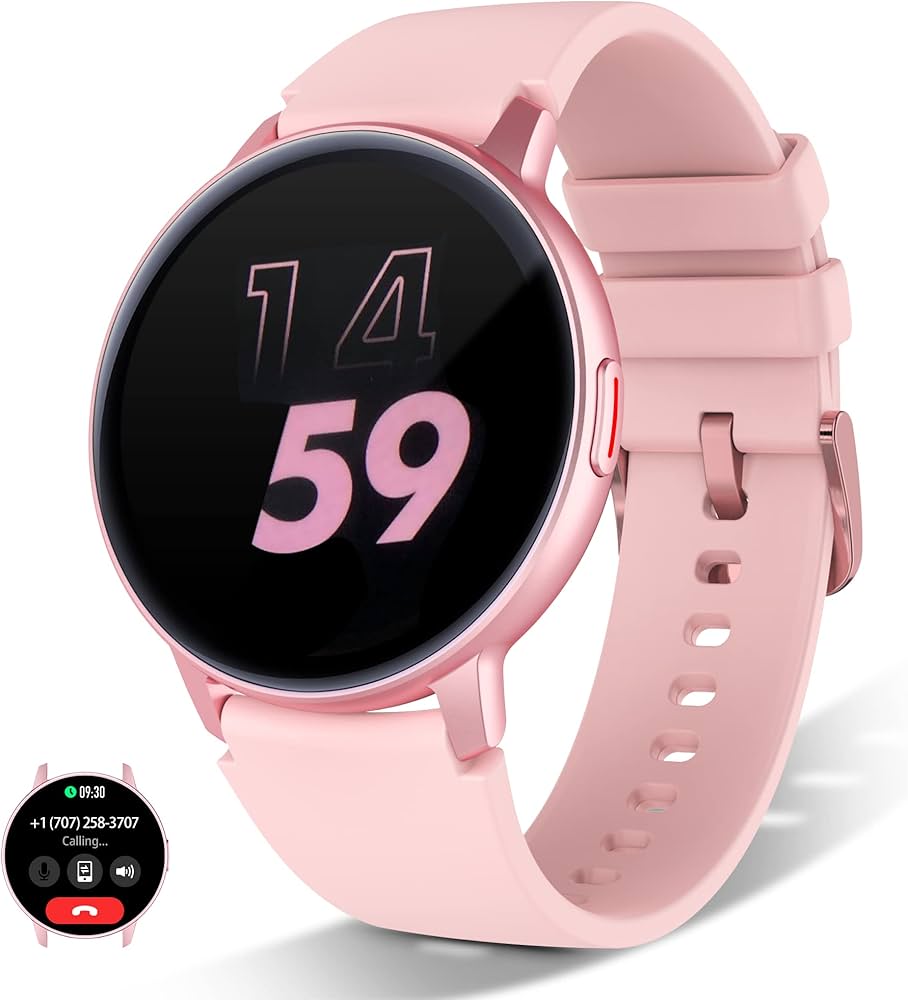
Key Features and Integrated Technologies That Define Excellence
What truly sets a Samsung smartwatch apart is its robust suite of features, all powered by advanced integrated technology. These devices are designed to be a comprehensive hub for health, communication, and convenience.
Health and Wellness Tracking at Your Fingertips
Samsung smartwatches are renowned for their sophisticated health monitoring capabilities, making them an excellent tool for understanding your body better. They incorporate advanced sensors to provide a holistic view of your well-being.
- Heart Rate Monitoring: Continuous tracking helps you understand your cardiovascular health during workouts and rest.
- Electrocardiogram (ECG): Detects signs of irregular heart rhythms, offering crucial insights into potential heart conditions.
- Bioelectrical Impedance Analysis (BIA): Measures body composition, including body fat percentage and skeletal muscle mass, helping you track fitness progress.
- Blood Oxygen (SpO2): Monitors oxygen levels in your blood, which can be an indicator of overall respiratory health.
- Advanced Sleep Tracking: Analyzes sleep stages (REM, light, deep), snoring detection, and provides personalized sleep coaching for better rest.
- Fall Detection: Automatically alerts emergency contacts if a hard fall is detected, offering a vital safety net.
- Stress Monitoring: Helps you identify stress patterns and offers guided breathing exercises to manage them.
Comprehensive Fitness Companion
Whether you’re a seasoned athlete or just starting your fitness journey, a Samsung smartwatch is your ultimate workout partner.
- Automatic Workout Detection: Recognizes and tracks over 90 different exercises, from running to swimming, without you needing to start it manually.
- Personalized Heart Rate Zones: Helps you train more effectively by guiding you to maintain optimal intensity levels.
- Advanced Running Metrics: Provides detailed analysis of your stride, asymmetry, and ground contact time for improved form.
- GPS Tracking: Accurately maps your outdoor activities, such as runs, hikes, and bike rides, even without your phone.
Smart Connectivity and Everyday Convenience
Beyond health and fitness, the modern Samsung smartwatch excels as a communication and productivity tool.
- Seamless Notifications: Receive calls, texts, and app alerts directly on your wrist, so you never miss an important update.
- Mobile Payments: With Samsung Wallet and Google Pay, you can make secure, contactless payments with a tap of your wrist.
- Voice Assistant Integration: Access Google Assistant or Bixby for hands-free control, setting reminders, or getting quick answers.
- Music Control and Storage: Manage your playlists or store music directly on your watch for phone-free listening during workouts.
- Smart Home Control: Manage compatible smart home devices directly from your wrist.
“A truly smart wearable isn’t just about collecting data; it’s about making that data actionable and seamlessly integrating into your daily routine,” states Dr. Anya Sharma, a leading analyst in wearable technology. “Samsung’s focus on a comprehensive health suite, combined with the power of Wear OS, makes their smartwatches exceptionally versatile for modern living.”
Robust Performance and Durable Design
Underneath the sleek exterior, a Samsung smartwatch packs powerful processors and ample memory to ensure smooth, responsive performance. Wear OS Powered by Samsung provides a fluid user interface, allowing for effortless navigation and app usage. Durability is also a hallmark, with features like sapphire crystal displays on many models, offering enhanced scratch resistance. They are typically water-resistant, making them suitable for swimming and enduring splashes. Furthermore, the extensive range of customizable watch faces and interchangeable bands allows you to personalize your device to match any style or occasion.
Setting Up, Using, and Optimizing Your Samsung Smartwatch
Getting started with your new Samsung smartwatch is a straightforward process, designed for quick integration into your digital life.
Initial Setup and Pairing
- Charge Your Watch: Ensure your smartwatch has enough battery for the setup process.
- Download Galaxy Wearable App: Install the Samsung Galaxy Wearable app on your Android smartphone from the Google Play Store.
- Power On and Connect: Turn on your smartwatch, open the Galaxy Wearable app on your phone, and follow the on-screen prompts to pair your devices via Bluetooth. The app will guide you through accepting permissions and signing into your Samsung account.
- Initial Configuration: Customize settings such as notifications, watch face, and essential apps during the initial setup.
Customization and Daily Use
Once paired, the Galaxy Wearable app becomes your control center. You can:
- Change Watch Faces: Select from a vast library of pre-installed or downloaded watch faces to match your mood or outfit.
- Manage Apps: Add, remove, or reorder apps on your watch’s app drawer.
- Configure Notifications: Choose which apps can send notifications to your watch and how they appear.
- Set Up Health Features: Enable and configure advanced health tracking features like ECG, BIA, and continuous heart rate monitoring.
Tips for Optimizing Battery Life
While battery life varies by model and usage, here are some general tips to get the most out of your Samsung smartwatch:
- Turn Off Always-On Display (AOD): This feature consumes significant power.
- Reduce Screen Brightness: Lowering the brightness level can save battery.
- Limit Excessive Notifications: Only allow essential apps to send notifications to your watch.
- Disable Wi-Fi/LTE When Not Needed: If your watch has cellular capabilities, only enable them when your phone isn’t nearby.
- Disable GPS: Turn off GPS when you’re not actively tracking an outdoor workout.
- Update Software: Samsung regularly releases updates that can improve battery efficiency.
Choosing and Personalizing Your Perfect Samsung Smartwatch
With several excellent models available, selecting the right Samsung smartwatch depends on your priorities and lifestyle.
Factors to Consider When Choosing
- Budget: Prices vary significantly between entry-level and premium models.
- Features: Do you need advanced health tracking, robust outdoor GPS (like the Pro models), or just basic smart features?
- Battery Life: If extended battery life is crucial, models like the Galaxy Watch 5 Pro are designed for longevity.
- Size and Style: Samsung offers various case sizes (e.g., 40mm, 44mm, 43mm, 47mm) and design aesthetics, including classic rotating bezels on some models. Consider what looks and feels best on your wrist.
- Connectivity: Decide if you need an LTE model for phone-free connectivity or if a Bluetooth/Wi-Fi only version suffices.
Making It Yours: Personalization Options
One of the joys of owning a Samsung smartwatch is the ability to personalize it extensively.
- Watch Bands: From sporty silicone to elegant leather or metal, a wide array of official and third-party bands allows you to completely change your watch’s look.
- Watch Faces: Thousands of watch faces are available through the Galaxy Wearable app and Google Play Store, ranging from minimalist digital displays to feature-rich analog designs with customizable complications.
- App Layout: Arrange your apps and widgets to provide quick access to your most frequently used functions.
Health Benefits and Everyday Convenience in Your Life
The impact of a Samsung smartwatch extends beyond simple notifications; it actively contributes to a healthier and more convenient lifestyle.
- Enhanced Health Awareness: Regular tracking of heart rate, sleep, and activity levels can provide valuable insights, encouraging better habits and timely consultations with healthcare professionals if anomalies are detected. It’s like having a miniature health coach on your wrist, nudging you towards a more active life.
- Motivation for Activity: Activity goals, step counts, and workout reminders motivate you to stay active throughout the day, combating sedentary lifestyles.
- Emergency Preparedness: Features like fall detection and emergency SOS provide a crucial layer of safety, offering peace of mind for both users and their loved ones.
- Unparalleled Convenience: The ability to handle calls, check messages, make payments, and control smart home devices directly from your wrist streamlines your daily tasks, allowing you to stay connected without constantly pulling out your phone. Whether you’re in a meeting or on a run, a quick glance at your Samsung smartwatch keeps you informed.
Comparing Popular Samsung Smartwatch Models
Samsung offers a diverse lineup of smartwatches, each tailored to different needs and preferences. Here’s a brief look at some prominent models:
- Samsung Galaxy Watch 6 Series: The latest iteration, boasting brighter displays, faster processors, and enhanced sleep tracking capabilities. It’s designed for everyday users who want the newest tech and a refined experience. The Watch 6 Classic reintroduces the beloved physical rotating bezel, offering a tactile and intuitive way to navigate.
- Samsung Galaxy Watch 5 Pro: Built for endurance and outdoor adventurers, the Watch 5 Pro features a larger battery, a robust titanium casing, and enhanced GPS features like Route Workout, making it ideal for those who push their limits. Its extended battery life is a major draw for power users.
- Samsung Galaxy Watch 4 Series: While older, the Watch 4 and Watch 4 Classic remain excellent value options. They were the first to run on Wear OS Powered by Samsung, offering a solid entry point into the ecosystem with reliable performance and a comprehensive feature set.
| Feature | Galaxy Watch 6 Series | Galaxy Watch 5 Pro | Galaxy Watch 4 Series |
|---|---|---|---|
| Display | Super AMOLED (Sapphire Crystal) | Super AMOLED (Sapphire Crystal) | Super AMOLED (Gorilla Glass DX+) |
| Processor | Exynos W930 | Exynos W920 | Exynos W920 |
| Battery Life | Up to 30-40 hrs (approx.) | Up to 80 hrs (approx.) | Up to 40 hrs (approx.) |
| Special Feature | Brighter screen, physical bezel (Classic) | Titanium case, Route Workout, long battery | Great value, first Wear OS integration |
| Target User | Everyday tech user, style-conscious | Outdoor enthusiast, power user | Budget-conscious, new Wear OS user |
Frequently Asked Questions About Samsung Smartwatches
What phones are compatible with a Samsung smartwatch?
Samsung smartwatches are primarily designed for Android smartphones. While they integrate best with Samsung Galaxy phones, they are compatible with most Android phones running Android 8.0 or higher with 1.5GB of RAM or more. They are generally not compatible with iPhones.
How long does a Samsung smartwatch battery last?
Battery life varies significantly by model and usage. Newer models like the Galaxy Watch 6 typically last around 30-40 hours on a single charge with typical use, while the more rugged Galaxy Watch 5 Pro can extend to approximately 80 hours thanks to its larger battery. Features like Always-On Display and frequent GPS use will reduce battery life.
Can I make calls and send texts with a Samsung smartwatch?
Yes, if you have an LTE-enabled Samsung smartwatch, you can make and receive calls and texts independently of your smartphone, provided you have an active cellular plan for your watch. Bluetooth-only models can handle calls and texts when connected to your paired smartphone.
Is a Samsung smartwatch waterproof?
Most modern Samsung smartwatches come with a 5ATM water resistance rating, meaning they can withstand pressures equivalent to a depth of 50 meters for 10 minutes. This makes them suitable for shallow-water activities like swimming, but they are not recommended for scuba diving or high-speed water sports.
What’s the difference between the Classic and standard Samsung smartwatch models?
The main difference lies in the design, particularly the bezel. Classic models, like the Galaxy Watch 6 Classic, feature a physical rotating bezel that allows for tactile navigation through menus and apps, evoking a traditional watch aesthetic. Standard models typically use a digital rotating bezel or touch controls, offering a more minimalist and modern look. Both share similar internal specifications and software features.
Do Samsung smartwatches work with iPhones?
No, Samsung smartwatches running Wear OS Powered by Samsung are not compatible with iPhones. For iPhone users, Apple Watch remains the dedicated and fully integrated smartwatch option.
Embrace the Future with Your Samsung Smartwatch
The journey through the world of the Samsung smartwatch reveals a commitment to innovation, blending advanced health tracking, seamless connectivity, and elegant design into a single, indispensable device. Whether you’re striving for fitness milestones, simplifying your daily communications, or seeking a deeper understanding of your well-being, a Samsung smartwatch offers the tools and insights you need. It’s more than just a gadget; it’s a lifestyle enhancer, empowering you to connect, track, and thrive. So, explore the possibilities, find the model that resonates with your aspirations, and experience the convenience and intelligence of a Samsung smartwatch for yourself.