Ever wondered if a gadget could truly enhance your daily life, not just add another screen to it? The Samsung Galaxy Watch 4 stepped onto the scene as a game-changer, integrating seamlessly into the Wear OS ecosystem and bringing a wealth of features that are still highly relevant today. It’s more than just a timepiece; it’s a personal health coach, a communication hub, and a stylish accessory all rolled into one. Whether you’re a fitness fanatic, a busy professional, or simply looking to stay connected, the Galaxy Watch 4 offers a compelling blend of technology and convenience designed to keep you on track.
Smartwatches have come a long way from their humble beginnings, evolving from simple digital watches with basic notification capabilities to sophisticated mini-computers on our wrists. The journey began decades ago with early digital watches, but the modern smartwatch era truly kicked off in the mid-2010s, with companies racing to integrate more advanced sensors, better displays, and tighter smartphone integration. Samsung has been a consistent pioneer in this space, pushing boundaries with each iteration. The Galaxy Watch 4, released in 2021, marked a significant pivot, embracing Google’s Wear OS (co-developed with Samsung) rather than Samsung’s proprietary Tizen OS. This move brought a vastly expanded app ecosystem and deeper integration with Android services, setting a new standard for what a mainstream smartwatch could offer. This particular model proved to be a pivotal moment, blending Samsung’s hardware prowess with Google’s software strengths, leading to a truly unified experience.
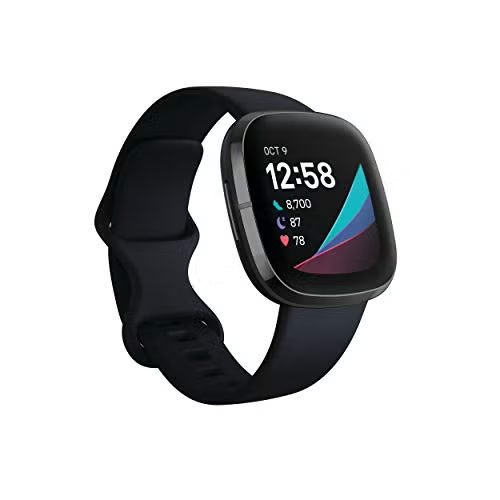
Essential Features and Integrated Technology of the Galaxy Watch 4
The Samsung Galaxy Watch 4 is packed with an impressive array of features and cutting-edge technology that make it a formidable companion for daily life.
- Advanced Health Tracking: At its core, the Galaxy Watch 4 shines as a health and fitness tracker. It boasts Samsung’s innovative BioActive Sensor, which allows for advanced health monitoring. This includes:
- Body Composition Analysis (BIA): A standout feature, the BIA sensor measures key body metrics like body fat percentage, skeletal muscle mass, and body water right from your wrist. It’s incredibly handy for tracking fitness goals beyond just weight.
- Electrocardiogram (ECG): Monitor your heart rhythm for signs of atrial fibrillation, providing crucial insights into your cardiovascular health.
- Blood Oxygen (SpO2): Track your blood oxygen levels throughout the day and during sleep, which can indicate respiratory health.
- Heart Rate Monitoring: Continuous heart rate tracking helps you optimize workouts and monitor your overall cardiac activity.
- Sleep Tracking: Gain detailed insights into your sleep patterns, including sleep stages, snoring detection, and a comprehensive sleep score.
- Google’s Wear OS Powered by Samsung: The switch to Wear OS means you get access to a massive library of apps from the Google Play Store directly on your wrist. This includes Google Maps, Google Pay, YouTube Music, and hundreds of third-party fitness and productivity apps, greatly expanding its utility.
- Seamless Connectivity: Stay connected with notifications, calls, and messages right on your wrist. LTE models offer cellular connectivity, allowing you to leave your phone behind while still being reachable. Wi-Fi and Bluetooth ensure strong connections to your smartphone and other accessories.
- Vibrant Display and Robust Performance: The Watch 4 features a bright, crisp Super AMOLED display, making it easy to read even in direct sunlight. Powered by a powerful Exynos W920 Dual-Core processor, it ensures smooth navigation and quick app launches, providing a fluid user experience.
“The introduction of the BIA sensor in the Galaxy Watch 4 was a significant leap forward for personal health tracking in a wearable device,” notes Dr. Eleanor Vance, a leading expert in digital health wearables. “It offers users a more holistic view of their body composition, moving beyond simple step counts to actionable insights.”
Setting Up and Optimizing Your Galaxy Watch 4
Getting your Galaxy Watch 4 ready for action is a straightforward process, but a few tips can help you get the most out of it.
- Initial Setup:
- Charge it up: Before anything else, give your new Galaxy Watch 4 a full charge.
- Pair with your phone: Download the Samsung Wearable app on your Android smartphone. Open the app, select “Add a new device,” and follow the on-screen prompts to pair your watch via Bluetooth.
- Log in: Sign in with your Samsung account and Google account to sync data and access apps.
- Permissions: Grant necessary permissions for health tracking and notifications.
- Essential Settings and Customization:
- Watch Faces: Explore the vast library of watch faces in the Wearable app or Google Play Store. You can customize complications to display information most relevant to you, such as steps, weather, or heart rate.
- Notification Management: Tweak which app notifications appear on your watch to avoid being overwhelmed. You can set specific apps to notify you and others to remain silent.
- Quick Panel: Customize the quick panel (swipe down from the watch face) to include shortcuts to your most used settings, like Wi-Fi, AOD (Always-On Display), and brightness.
- Workout Detection: Ensure automatic workout detection is enabled in Samsung Health settings so your watch can automatically log your activities.
- Battery Optimization:
- Turn off Always-On Display if you don’t need it constantly.
- Reduce screen brightness.
- Disable continuous heart rate monitoring if not medically necessary; opt for manual checks.
- Limit background app refresh for apps you don’t frequently use.
- App Management:
- Install Essential Apps: Browse the Google Play Store on your watch for apps like Google Maps for navigation, Spotify for music control, or various fitness apps to enhance your tracking.
- Organize Apps: Reorder your app drawer by long-pressing an app icon and dragging it to your preferred position.
Choosing and Customizing Your Galaxy Watch 4
Even in 2025, the Galaxy Watch 4 remains a viable option, especially for those seeking excellent value. When considering it, here are some pointers:
- Size Matters: The Galaxy Watch 4 comes in 40mm and 44mm sizes. Try them on if possible to see which feels most comfortable on your wrist.
- Connectivity: Decide between Bluetooth-only and LTE models. LTE allows your watch to make calls, send texts, and stream music without your phone nearby, but it usually requires an additional monthly plan from your carrier.
- Classic vs. Standard: While the article focuses on the standard Galaxy Watch 4, remember there was also a “Classic” variant with a physical rotating bezel, offering a different aesthetic and interaction method.
- Accessorize: One of the joys of smartwatches is customization.
- Straps: Replace the default strap with a wide variety of materials like silicone for sports, leather for elegance, or metal for a premium look. Third-party options are abundant.
- Screen Protectors: A good screen protector is a wise investment to guard against scratches, especially for active users.
Health Benefits and Daily Convenience in Your Life
The Galaxy Watch 4 isn’t just a gadget; it’s a tool that can genuinely integrate into and improve your daily routines.
Enhancing Your Health Journey
- Fitness Motivation: Seeing your activity rings close, daily steps, and calorie burn can be a powerful motivator to stay active. The watch provides real-time feedback during workouts, helping you push harder.
- Preventive Health: ECG and SpO2 monitoring provide valuable data that can alert you to potential health issues, empowering you to discuss them with your doctor. The body composition analysis helps tailor your fitness and diet plans more effectively.
- Stress Management: Many apps are available through Wear OS for guided meditation and breathwork, helping you manage stress levels directly from your wrist.
- Sleep Improvement: Detailed sleep reports help identify poor sleep habits, encouraging better bedtime routines and overall rest.
Simplifying Your Day-to-Day
- Stay Connected, Discreetly: Receive notifications from your phone without constantly pulling it out. Glance at messages, emails, and social media alerts on your wrist. You can even reply to messages using voice dictation, a tiny keyboard, or quick pre-set responses.
- Contactless Payments: With Google Pay, your Galaxy Watch 4 becomes a convenient wallet. Tap to pay at supported terminals, leaving your physical cards at home.
- Navigation on Your Wrist: Google Maps on your watch offers turn-by-turn directions directly on your wrist, especially useful when walking or cycling.
- Music Control: Control your smartphone’s music playback or stream music directly to Bluetooth headphones from your LTE watch during workouts.
- Smart Home Control: Many smart home apps are available for Wear OS, allowing you to control lights, thermostats, and other devices from your wrist.
Comparing the Galaxy Watch 4 to Popular Smartwatches
When it launched, the Galaxy Watch 4 was a direct competitor to Apple Watch models and other Wear OS devices. Even now, it holds its own, especially given its affordability.
- Galaxy Watch 4 vs. Newer Galaxy Watches (e.g., Watch 5, Watch 6): Newer models offer incremental improvements like larger batteries, more durable Sapphire Crystal displays, and slightly updated sensors. However, the core health features (ECG, BIA, SpO2) and Wear OS experience remain largely similar. For value-conscious buyers, the Galaxy Watch 4 still offers a fantastic experience without the premium price tag of the latest models.
- Galaxy Watch 4 vs. Apple Watch: The primary distinction is ecosystem. The Galaxy Watch 4 is optimized for Android, especially Samsung phones, while the Apple Watch is exclusive to iPhones. Both offer robust health tracking, app ecosystems, and cellular options.
- Galaxy Watch 4 vs. Other Wear OS Watches: The Galaxy Watch 4 often stands out with its superior hardware integration with Samsung phones and the unique BIA sensor. Its performance is generally robust compared to some other Wear OS watches from the same era.
User reviews consistently praise the Galaxy Watch 4 for its vibrant display, comprehensive health tracking, and the vastly improved app ecosystem thanks to Wear OS. Many highlight the body composition analysis as a particularly innovative feature not commonly found on other smartwatches at its price point. While battery life can be a concern for some, particularly with heavy usage and Always-On Display, most users find it sufficient for a full day’s use with careful optimization.
Frequently Asked Questions
Q: Is the Samsung Galaxy Watch 4 still a good purchase in 2025?
A: Absolutely! While newer models exist, the Galaxy Watch 4 offers excellent value with its comprehensive health tracking, Wear OS app ecosystem, and solid performance, making it a great choice for those on a budget or entering the smartwatch world.
Q: Does the Galaxy Watch 4 work with iPhones?
A: No, the Galaxy Watch 4 is designed to work exclusively with Android smartphones. For iPhones, an Apple Watch is the compatible choice.
Q: What is the Body Composition Analysis feature on the Galaxy Watch 4?
A: The Body Composition Analysis (BIA) uses bioelectrical impedance to estimate your body fat percentage, skeletal muscle mass, body water, and BMI, providing a detailed snapshot of your physical health directly from your wrist.
Q: How long does the battery last on the Galaxy Watch 4?
A: Battery life typically ranges from 1-2 days, depending on usage. Features like Always-On Display, continuous GPS, and frequent cellular use will drain the battery faster.
Q: Can I make calls and send texts on the Galaxy Watch 4 without my phone?
A: Yes, if you have the LTE version of the Galaxy Watch 4 and an active cellular plan for your watch from your carrier, you can make calls and send texts independently of your smartphone.
Q: Is the Galaxy Watch 4 waterproof?
A: The Galaxy Watch 4 has an IP68 rating and is water-resistant up to 5 ATM, meaning it’s suitable for swimming and showering, but not for high-speed water sports or diving.
Q: What apps are compatible with the Galaxy Watch 4?
A: Thanks to Wear OS Powered by Samsung, the Galaxy Watch 4 supports a wide range of apps available on the Google Play Store, including popular choices like Google Maps, Spotify, YouTube Music, and various fitness and productivity tools.
Your Wrist, Your Power
The Samsung Galaxy Watch 4 continues to stand as a testament to the power of a well-integrated smartwatch. From detailed health metrics like body composition analysis and ECG to the vast possibilities of Wear OS, it empowers you to take charge of your well-being and stay connected in a truly effortless way. It’s more than just a piece of tech; it’s a daily companion that subtly guides you towards a healthier, more organized, and connected life. If you haven’t yet experienced the convenience and insight a powerful smartwatch can offer, diving into the world of the Galaxy Watch 4 is an excellent place to start. Give it a try and discover how it can transform your everyday.